
LoboTrack has a Free plan that stays free forever and four paid plans: three for a single person (Pro, Max and Professional) and one for teams (Enterprise), which is priced per user. They all do the same things; what changes is how much you can send each day, how many email accounts and brands you can have, and whether your emails carry the watermark. Here are the numbers and how they are counted.
The plans and their limits
| Free | Pro | Max | Professional | |
|---|---|---|---|---|
| Monthly price | €0 | €9 | €19 | €39 |
| Yearly price | — | €90 | €190 | €390 |
| Emails per day | 200 | 750 | 1,500 | 4,000 |
| Emails with attachments per day | 100 | 500 | 1,000 | 2,000 |
| Email accounts | 1 | 2 | 3 | 6 |
| Brands | 1 | 3 | 5 | 10 |
| Watermark | Yes | No | No | No |
Enterprise is bought per user, from 10 to 500 users, at €12 a month or €120 a year per user. It includes 10 brands and, for each user, 2,000 emails per day, 1,000 emails with attachments and 3 email accounts, with no watermark. The emails and email accounts add up to a shared pool that the owner or an administrator splits across the team, as explained in Teams and licenses.
Prices are in euros and exclude VAT: whatever tax applies is added at checkout, as explained in Billing. Paying yearly costs the same as ten months.
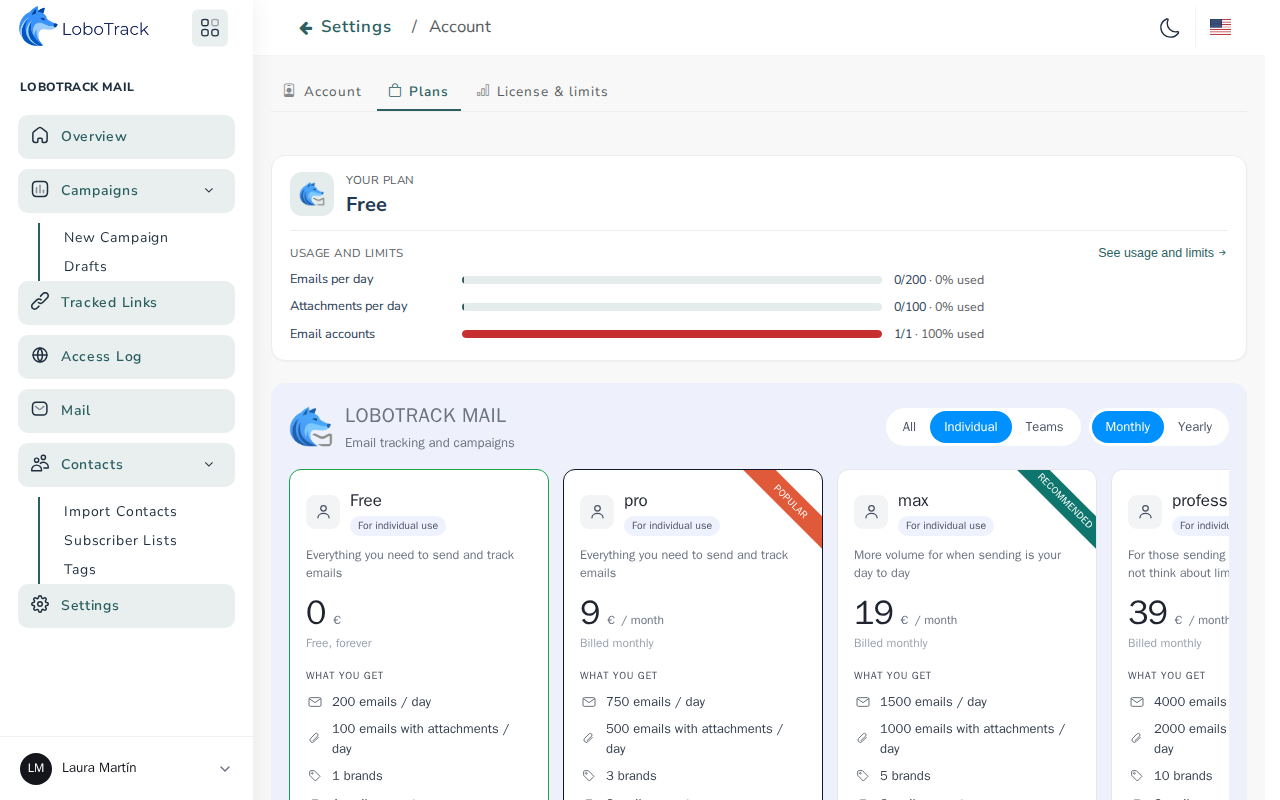
Every plan comes with the same features: open and click tracking, campaigns, scheduled sends, lists and unsubscribes, in the Gmail extension, in LoboTrack web mail (shown as LoboMail) and in the web app. There is no limit on contacts, lists or campaigns. The plan cards also show the support level: "Basic support" on Free and "Priority support" on Pro, Max and Professional.
How the limits are counted
- Emails per day. Every recipient counts as one send: an email to three people, across To, Cc and Bcc, uses three. The limit is yours and covers everything you send, from any sending account and from any of the three places.
- Emails with attachments per day. It counts emails, not files: an email with three attachments to one recipient uses one (plus one from your emails per day). The extension and the web app label this limit "Attachments per day" or "Attachments / day".
- Email accounts. Every mailbox you send from takes one slot, whether it is a linked Gmail account or an SMTP account. A Gmail account that sends through your own SMTP server takes two. An account you delete keeps its slot for 24 hours.
- Brands. The ones you create under Settings › Brand (the logo, colors and details your emails are signed with), the main brand included.
Daily quotas reset at 00:00 UTC, which is 1:00 or 2:00 in Madrid depending on the time of year.
Where to see your plan and usage
- Web app, Settings › Plans: the "Your plan" card (plan, billing period, renewal date and status) and the catalog to change plans.
- Settings › License & limits: each limit with what you have used, the percentage and when it resets. Settings › Sending limits shows the same quotas and links to the limits of each sending account.
- Gmail extension: click your name in the wolf menu and look at the "License and limits" block of the session card.
- Your account portal: the "Plans" and "Usage & limits" sections.
No free trials, but promo codes work
The Free plan is not a trial: it never expires and does not ask for a card. Paid plans have no trial period; they are paid from day one and there is no minimum commitment, so you can cancel whenever you like.
If you have a promo code, enter it on the Stripe payment page when you subscribe.
Changing plans
Only the account owner or an administrator can subscribe or change plans, from Settings › Plans. When you upgrade you only pay the prorated difference for the rest of the period; when you downgrade, the balance comes off your next invoice. Everything is in Billing.