
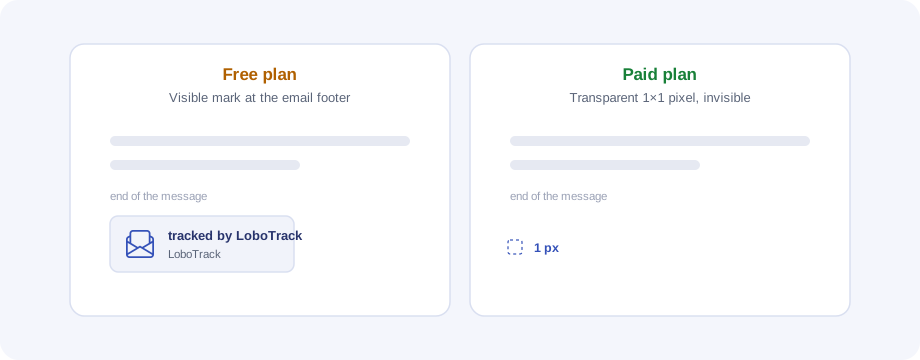
If you send on the free plan, your emails carry a small image with the LoboTrack mark ("tracked by LoboTrack") at the bottom. It is the trade-off of the Free plan: tracking works the same, but the email says what it was sent with.
What it is exactly
Open tracking works through an image that travels at the end of every email. What changes depending on your plan is which image it is:
- Paid plan (with the "No watermark" feature): a transparent 1×1 pixel. Invisible to the recipient.
- Free plan: the visible LoboTrack mark, a small image (about 106×34 pixels) at the end of the message.
It is not added text and nothing else in the email changes: only that image at the bottom.
When it appears
The decision is made at send time, based on the plan of whoever is sending:
- You send on the Free plan → your emails carry the mark.
- You send with a paid plan license that includes "No watermark" → your emails carry the invisible pixel.
Before a send that will carry the mark, the extension warns you ("This send will include a watermark"), with both ways out in sight: send anyway or upgrade the plan. Closing the notice means not sending: nothing goes out with the mark without you knowing.
How to remove it
Move to a paid plan that includes the "No watermark" feature (you will find it in the plan comparison, from the extension's notice or under Settings › Plans in the application) and, if you are in an account with several members, make sure you have a license assigned.
The change affects the next sends: the decision is frozen into each sent email, so messages already sitting in someone's inbox do not change, neither when upgrading nor when downgrading.