
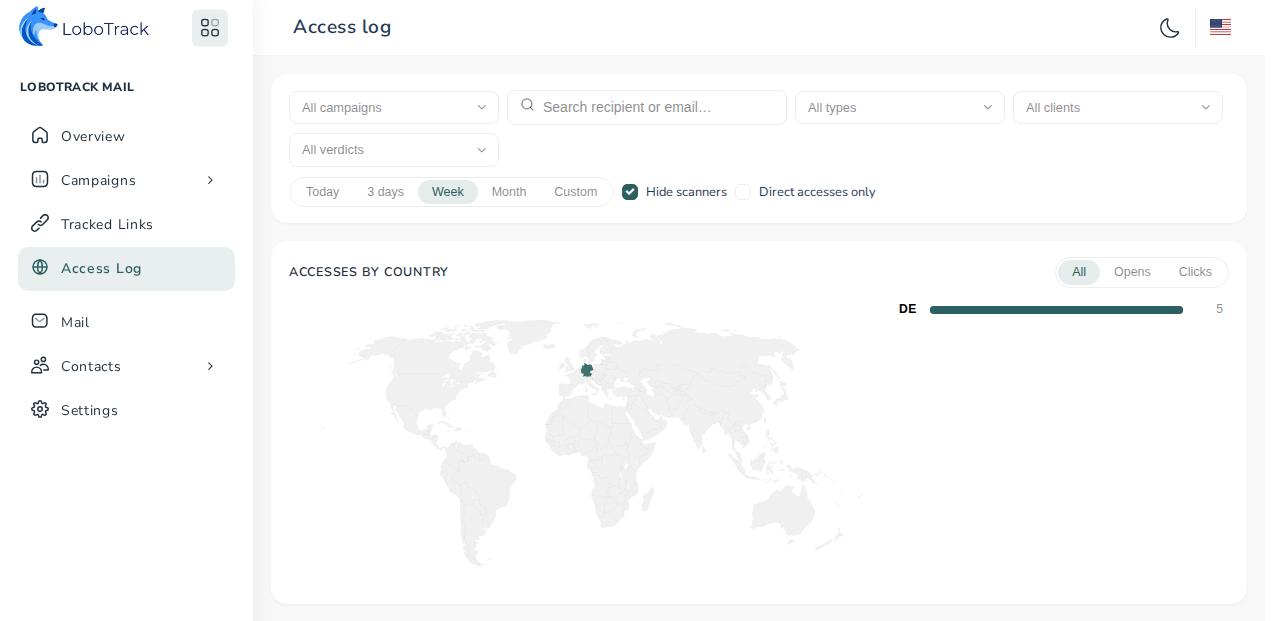
The "Access log", in the web app's side menu, is the most detailed view of your tracking: "Who opens your emails, from where and with what". Each row is one access from any of your campaigns (an open, a click, an unsubscribe or a resubscribe) with everything LoboTrack could work out about it. This is also where the forward radar lives, which estimates whether an email has reached someone else.
What each row contains
The table has the columns "Date", "Campaign", "Recipient", "Type" ("Open", "Click", "Unsubscribe" or "Resubscribe"), "Client", "Location", "Device" and "Verdict". Some rows also carry a mark:
| Mark | What it means |
|---|---|
| "via proxy" | The image was downloaded by the reader's mail service, not by their device. It is the normal way of opening in Gmail, Yahoo or Apple Mail. |
| "Gmail server" | The location is that of the Gmail machine that fetches the image, not the reader's. It does not count on the map. |
| "approximate location" | The reader connects through a VPN or a privacy service: the country is only indicative. |
| "Automatic" | An automatic download by the provider a few seconds after sending. It does not count as an open. |
| "bot" | A scanner or an automatic download, not a person. |
Clicking the device ("See everything from this device") shows everything that browser has done across all your campaigns.
The mail clients
The "Client" column tells you who made the access:
- Proxies: "Gmail (proxy)", "Apple Mail (proxy)", "Yahoo (proxy)" and "Privacy proxy". The mail service downloads the image on the reader's behalf, so the network and device you see are the service's.
- Machines: "Prefetch (automatic)" and "Scanner". They are not people and do not count as opens (scanner clicks do add up in the click totals, as Tracked links explains).
- Direct accesses: "Outlook", "Thunderbird", "Browser", "Agent (unidentified)" and "Unknown". They come from the reader's own device.
Filters and map
- Campaign ("All campaigns", with a search box), "Search recipient or email…", type, client and verdict.
- "Hide scanners", on by default. It hides scanners but not automatic downloads: those stay visible, marked, so you can see why they do not count.
- "Direct accesses only" leaves out proxy and scanner accesses.
- The period: "Today", "3 days", "Week" (the default), "Month" or "Custom". "Clear filters" resets everything.
The "Accesses by country" map counts opens, clicks or both ("All", "Opens", "Clicks"). Gmail proxy accesses and scanner accesses do not count on it, and a note tells you how many were left out.
The forward radar
For each recipient, LoboTrack groups their accesses into "readers" and looks for signs that the email reached someone else: a click from another browser on another network, the same browser seen with another recipient, accesses from another country or from two countries less than an hour apart, two different desktop systems… Each sign adds points and, depending on the score, the verdict is "No signs", "Possible forward" or "Likely forwarded" ("Possible" and "Likely" in the table). To recognize a browser from one click to the next, LoboTrack sets its own cookie in the reader's browser the first time they click a tracked link.
The verdict also shows up on the campaign's detail page (the "Possible forwards" card, the marks in the recipients table with "… distinct readers · score …", and the "Another reader" mark in the views log) and on each contact's page.
What it does not do
The Access log cannot be exported: to download data, use the tables on each campaign's detail page (Reading a campaign's results). And when the origin of an access cannot be worked out, the "Location" column stays empty.