
LoboTrack web mail is a complete web mail client (inbox, folders, reading, replying and composing) with LoboTrack tracking built in. You'll recognize it because it introduces itself as LoboMail: that's the name on the browser tab and in the logo. It's designed for mailboxes that aren't Gmail, the kind you connect over SMTP and IMAP with a username and password. Here's what it does, what you need and how to get in.
What it does
It's your everyday mail: you read what comes in, reply and keep things in folders. On top of that, LoboTrack adds:
- Tracked sending: you see who opens your emails and which links they click. See Send with tracking from web mail.
- 1-to-1 campaigns, lists, tags, an unsubscribe link and scheduling, all from the same compose window.
- The status of every send right in your sent mail, with the wolf's double check mark. See See opens and clicks.
- Your LoboTrack contacts on the "Contacts" page, with their lists and tags. Details in Contacts and lists in web mail.
The client also has features of its own that don't depend on LoboTrack: reply templates, labels to organize conversations, drag-and-drop attachments and images inside the text.
What you need
- Your LoboTrack account, the same one you use for the web app and the extension. The web mail has no username or password of its own.
- At least one mailbox with SMTP and IMAP added to LoboTrack under Settings › Sending accounts, with "Use this account in the mail client" ticked. Here's how: Add your mailbox to web mail.
If you don't have a mailbox with receiving set up yet, opening "Mail" takes you to Sending accounts with the notice "Mail needs an account with receiving (IMAP)" and an "Add SMTP account" button.
How to get in
There are two ways in, and both lead to the same mail client:
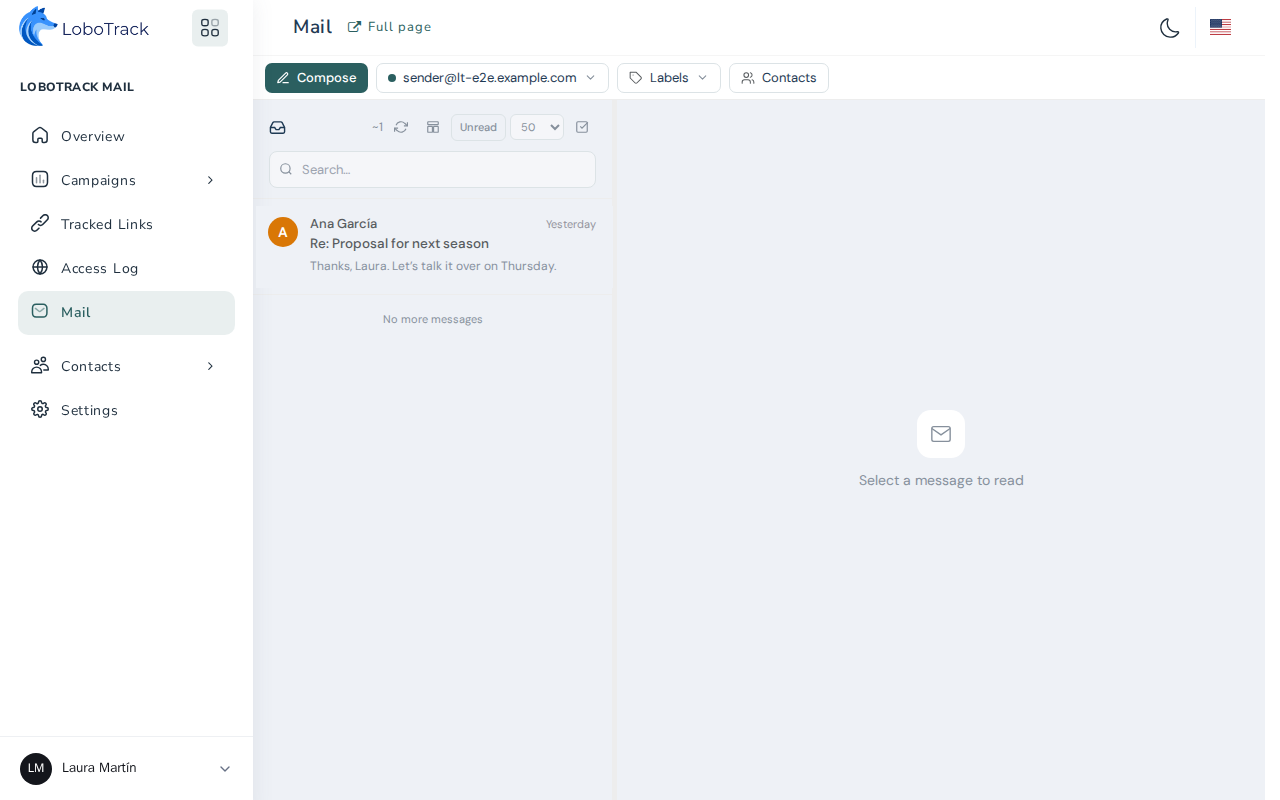
- From the web app: the "Mail" item in the side menu opens it inside the app. Next to the title there's "Full page", which opens it outside the frame with the same language and theme.
- Directly at mail.lobotrack.com.
There's no separate sign-in screen: if you're already signed in to LoboTrack in that browser, the web mail opens straight away; if not, you'll see the LoboTrack sign-in window.
- Sign in to the web app and click Mail in the side menu.
- Give it a few seconds: the first time, the web mail fetches your LoboTrack mailboxes and reloads the page once. That's expected.
- If you want more room, click Full page next to the title.
- The first time you compose, connect LoboTrack so you can send with tracking (covered in Add your mailbox to web mail).
Three ways to see it
| Where | What you see |
|---|---|
| Inside the web app (screens 768 px wide or more) | A top bar with Compose, the mailbox picker (account color, address, folder and unread count), the Labels menu for your conversations and the Contacts button. There's no sidebar: the app takes care of your session and account. |
| Full page (mail.lobotrack.com) | The mail client's sidebar: the logo, your accounts and folders, the LoboTrack section (with "Campaigns" and the connection), labels, contacts (the people icon at the bottom) and your user. |
| Phone | "Mail" opens the web mail in a new tab, with its own navigation for small screens. |
Profile, language and theme
- Profile: your name and photo come from LoboTrack. Under "Edit Profile" you'll see "Your name and photo come from LoboTrack." and an "Edit in LoboTrack" button that opens your account portal.
- Language: inside the web app, the web mail uses the app's language. Opened on its own, it uses the one you pick in the web mail or, if you haven't picked one, your LoboTrack profile's or your browser's. The LoboTrack options are available in Spanish, English, French and Portuguese; in any other language they show in English. Catalan isn't available in the web mail.
- Theme: inside the web app it follows the app's theme. Under Settings › Appearance in the web mail you can choose the system theme, light or dark.
Signing out
- Signing out from your account menu in the web app (at the bottom of the side menu) also signs you out of the web mail in that browser.
- Sign out in the web mail's own user menu (full page only) signs you out of the web mail alone. Since your LoboTrack session is still open, it'll sign you straight back in next time.